
News
Google’s September 2026 Spam Update Is Complete: What to Check
Google’s September 2026 spam update ended on October 8. Here’s how to review traffic changes, check affected pages and plan your next steps.
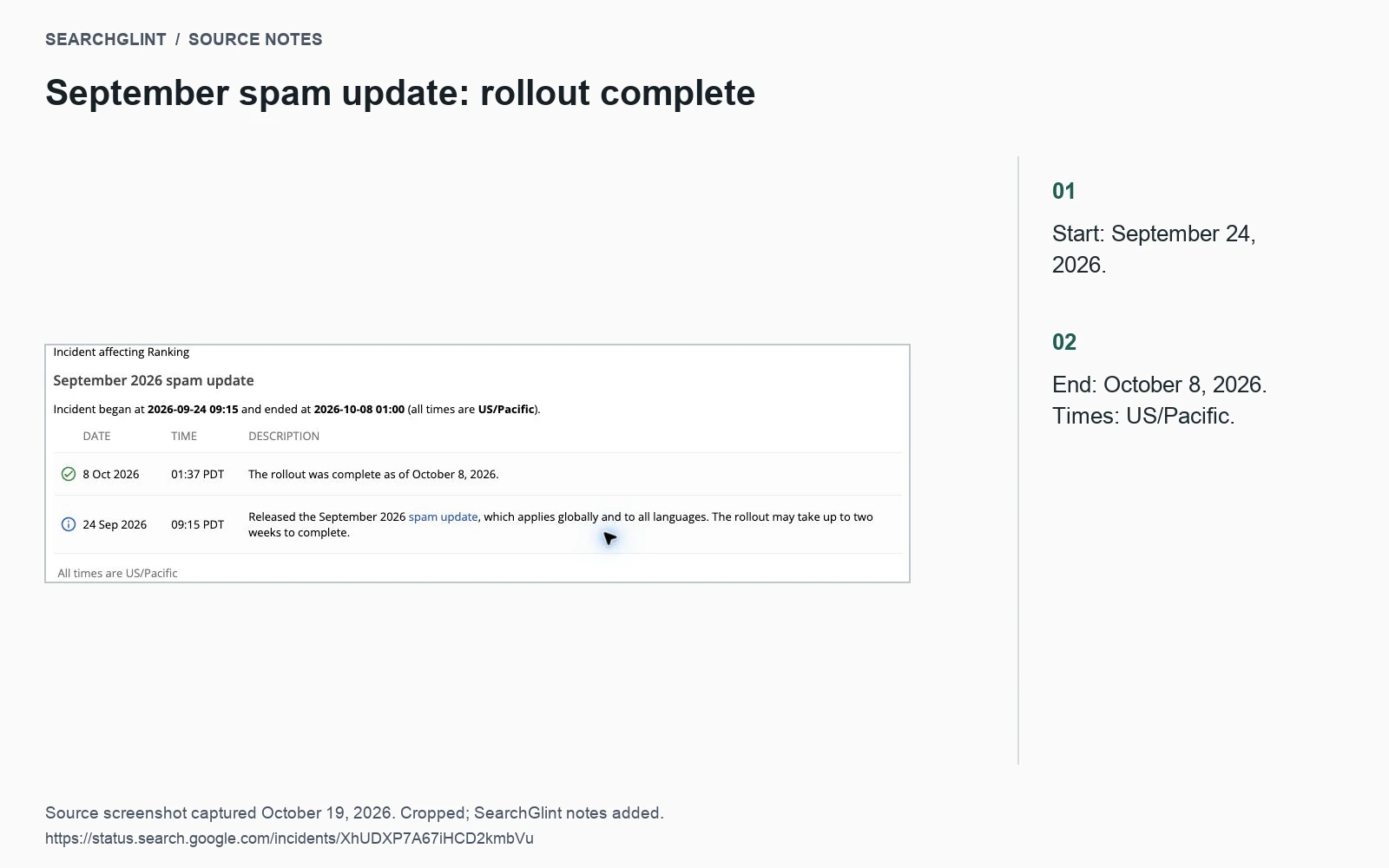
Google confirmed that the September 2026 spam update completed on October 8. The rollout began September 24 and was global across languages.
Google’s September 2026 spam update finished on October 8, closing a rollout that began on September 24. Site owners can now compare the full update window with their search traffic and decide which pages need a closer look.
The Search Status Dashboard records the start at 09:15 on September 24 and completion at 01:00 on October 8, in US/Pacific time. Google described the update as global and affecting all languages.
Start with the pages that changed
If clicks fell during the rollout, open Search Console and find where the decline occurred. A drop across the whole site calls for a different investigation from a change affecting only a few articles or one country.
Compare periods with the same weekday mix. Keep the property, search type, country, device and page filters consistent, and check whether seasonal demand makes the earlier period a poor baseline. Google’s traffic-drop guide provides a useful starting point.
Next, compare the affected pages with a section that remained stable. Suppose a publisher’s product comparisons lose clicks while its tutorials hold steady. Begin with the comparisons: their queries, impressions, page changes and search results. Rewriting the entire tutorial library would miss the pattern in the data.
Match the symptom to the next check
| What changed | Next check |
|---|---|
| Clicks fall on a few pages | Compare impressions, queries and click-through rate for those pages. |
| Many pages lose visibility together | Review shared templates, index controls and recent deployments. |
| One topic or country declines | Compare its query mix and demand with a stable section. |
| Analytics sessions fall while search clicks stay stable | Check tracking, consent changes and landing-page behavior. |
Add your own release history to the timeline. A template change, migration or tracking update can overlap with a Google rollout. The dates help narrow the investigation, but they do not establish its cause.
Review specific policy problems
Use Google’s spam policies to assess the affected pages and how they were produced. Record the behavior that needs attention, the URLs involved and the correction. That gives the review a clear outcome.
For instance, if a publishing template inserts unsupported product specifications, fix the data source and the pages that used it. If several articles repeat the same answer under different titles, decide which page should own the topic and what the others contribute.
Content deserves this review whether it was drafted by a person or with AI assistance. The label alone tells you little about the accuracy or usefulness of the published page.
Make changes you can follow up
Keep a short record of each correction: affected URLs, the original problem, the change, its owner and the date. Save the previous version so that a later review can compare what actually changed.
For technical exclusions, work through the indexing checklist and retest the response or directive. For editorial changes, check that the revised page answers its intended question and supports the claims it makes.
Google’s completion notice does not give a recovery timetable. Use later crawl and performance data to judge progress, and keep the investigation open when another explanation fits the evidence better.
Sources
Why Is My Page Not Indexed? A Step-by-Step Checklist explains the practical steps in more detail.