
Seo
XML Sitemaps: What to Include, Submit and Check
Use an 18-URL worked example to build a clean sitemap, verify its contents and separate submission from indexing.
On this page
An XML sitemap lists the preferred public URLs you want search engines to discover. Build it from your site’s intended search pages, keep it consistent with their live responses and canonical signals, and submit it through Search Console. A readable sitemap does not guarantee that its URLs will be crawled, indexed or ranked.
The useful question is not “How many URLs can I submit?” It is “Does this list accurately describe the pages I want people to find?” This guide uses a small fictional site to make that selection concrete, then shows how to validate the file and investigate reporting errors.
Scope: Google Search and public website pages. Technical references reviewed on October 18, 2026. Other search and AI services may apply different rules.
Start with an inventory of pages you actually want found
Our example site has 18 known URLs: five service pages, six guides, a homepage, a contact page, two retired addresses that redirect, a campaign-parameter duplicate, an account page and a staging preview. These are invented counts for the exercise.
The proposed ordinary sitemap contains 13 URLs: the five services, six guides, homepage and contact page, assuming each is public, useful, indexable and the preferred address. The remaining five are accounted for deliberately. They are not missing by accident.
| URL situation | Our recommendation | What to verify |
|---|---|---|
| Current public guide or service page | Include the preferred URL. | Useful content, intended indexability and consistent canonical. |
| Retired address that redirects | List the current destination instead. | The destination serves the replacement content. |
| Campaign parameter duplicating a page | Use the preferred clean address. | The parameter does not represent separately useful content. |
| Page intentionally marked noindex | Leave it out of this discovery list. | The exclusion is intentional. |
| Private account or staging page | Exclude it and retain access protection. | It is not exposed through public links or the sitemap. |
| Removed page without a replacement | Remove its sitemap entry. | The response correctly communicates its removal. |
This is an editorial maintenance policy for a normal search sitemap, not a claim that every omitted URL is technically forbidden by the XML format. Specialized migration monitoring can have different requirements. Google’s canonical guidance explains how sitemap URLs contribute to canonical signals.
What a minimal XML sitemap looks like
<?xml version="1.0" encoding="UTF-8"?>
<urlset xmlns="http://www.sitemaps.org/schemas/sitemap/0.9">
  <url>
    <loc>https://example.com/guides/chain-measurement/</loc>
    <lastmod>2026-10-01</lastmod>
  </url>
</urlset>
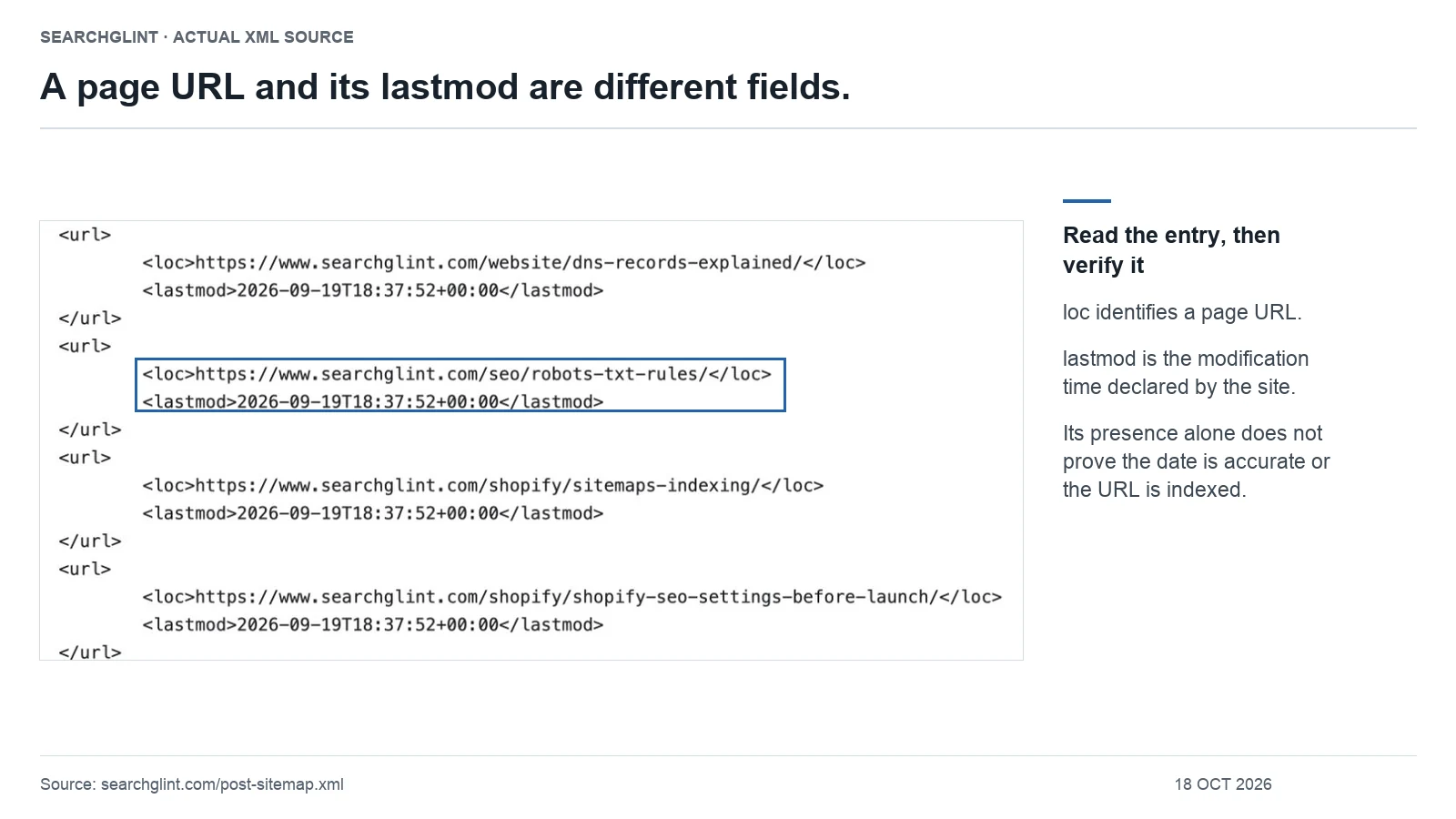
This example uses a reserved example domain and an illustrative modification date. Replace both with your own facts. The loc value is an absolute URL. The optional lastmod should describe a meaningful page modification, not the time someone requested the XML file.
The sitemap protocol defines the XML structure, UTF-8 encoding and escaping requirements. For example, an ampersand inside XML text must be escaped as &. Validate the generated file instead of assuming that a visually readable page is valid XML.
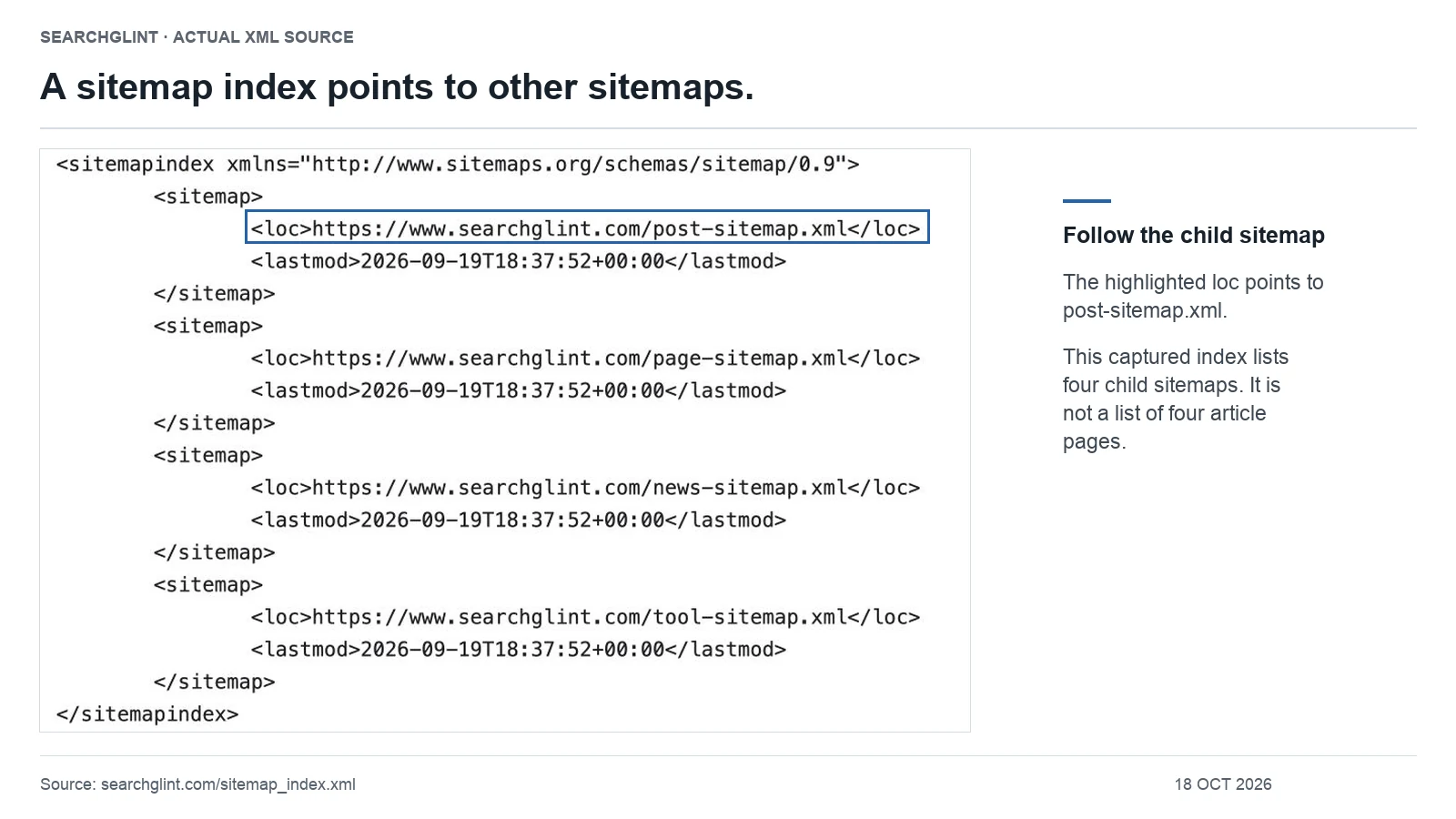
A single sitemap is limited to 50,000 URLs and 50 MB uncompressed. Larger sets can be split and referenced from a sitemap index. An index lists sitemap files, while a URL sitemap lists pages; do not count the child-file addresses as additional content pages.
Generate one maintained list, not several competing copies
First find out whether your CMS already generates a sitemap. Check its documentation, SEO settings and the Sitemap: declaration in robots.txt. Common filenames are useful clues, but the filename alone does not prove that the file is the active, complete list.
Choose which component maintains the public inventory and document that choice. If an SEO plugin owns it, avoid separately hand-editing another file that will drift after the next publication. For Shopify’s platform-specific behavior, use our Shopify sitemap guide. For WordPress launch settings, see the pre-launch checklist.
Google’s build-and-submit documentation explains supported formats and submission options. Google ignores priority and changefreq; filling them with aggressive values is not an indexing strategy.
Validate three things: the file, the URLs and the meaning
- File: Request the actual sitemap address while logged out. Check that it returns XML rather than a login page, challenge or error document. Parse it, including each child file if it is an index.
- URLs: Check for the preferred HTTPS host, duplicates, staging addresses, redirects and intentionally excluded content. On a small site, inspect the whole list; on a large site, combine automated checks with samples from every important template.
- Meaning: Compare the list with your publishing inventory. A technically valid file can still omit all new guides or include an obsolete product collection.
For the 18-URL exercise, the acceptance check is not merely “13 entries found.” It is “these 13 entries match the intended public pages, and the five exclusions have documented reasons.” If the sitemap contains 13 unrelated old URLs, the count is correct and the result is wrong.
Check modification dates with similar care. Update a page’s lastmod after a substantive content change; do not make every URL look newly revised because the footer copyright changed. If your generator cannot produce trustworthy dates, investigate its behavior rather than inventing recent ones.
Submit the sitemap and distinguish each result
In the matching Search Console property, submit the public sitemap or sitemap index address. A successful submission acknowledges receipt of the request. It is not the same observation as a successfully processed sitemap, and neither establishes that every listed page is indexed.
Track three records separately: the submission receipt, the sitemap report’s read/processing result, and the indexing status of selected important pages. Google’s Sitemaps report documentation describes report errors and processing information.
After successful setup, maintain the same sitemap as content changes. Do not create a new filename each time you publish. For individual URL problems, switch to our indexing troubleshooting workflow; the sitemap cannot resolve every page-level issue.
If Search Console says “Couldn’t fetch” but the file opens
Opening XML in your browser establishes that your request succeeded at that moment. It does not establish what Google received earlier, whether every child file worked, or whether parsing completed.
Keep the failing report’s exact URL and date. Check the current response and XML, then compare available server evidence around Google’s request time. If you use crawler logs, verify crawler identity rather than trusting a Googlebot-looking user-agent string. Google’s crawler verification guidance explains the methods.
A dated SearchGlint observation: In our October 11, 2026 audit, the sitemap index and four child files were successfully fetched by verified Googlebot requests. The report still showed fetch failures for the index and three children; the page sitemap reported success. The four child files contained 32 unique public URLs. We did not establish the cause of the discrepancy or confirm that every URL was indexed.
The useful lesson from that record is a limit on the conclusion: transport success and report processing were different observations. It did not justify removing valid redirects or changing unrelated page directives. This is a historical audit observation, not a statement of today’s Search Console status.
Keep a short sitemap change log
- New page: Confirm it enters the list only when it becomes an intended public search page.
- Substantive revision: Confirm the modification date reflects the page change.
- Redirect or retirement: Replace or remove the old entry as appropriate.
- Theme, CMS or plugin change: Recheck the generator, hostnames and representative page types.
Do not use sitemap size as a success metric. A useful inventory can become smaller after duplicate cleanup. Judge the file by whether it faithfully represents the public content you want discovered. For the wider process, read how Google discovers, indexes and serves pages, or browse the SEO library.
Questions about sitemap submission
Does Search Console’s sitemap success status mean every URL is indexed?
No. Sitemap processing and page indexing are separate observations. Use the Sitemaps report to investigate the file, and URL Inspection to investigate an important page. A URL count in a processed sitemap is not a count of indexed pages.
Do Google AI Overviews and AI Mode need a separate AI sitemap?
Google documents no additional AI file requirement for these Search features. Maintain an accurate ordinary sitemap and make important pages accessible through internal links. A new AI-named file does not guarantee inclusion or citations. See Google’s AI features guidance.
Official video: sitemap submission and reports
Sitemaps in Search Console – Google Search Console Training
Publisher: Google Search Central. Published: .
Google Search Central explains sitemap submission and status tracking in Search Console. The video supports the report workflow; it does not establish that submitted URLs will all be indexed.
Watch the official video on YouTube →
The video is supporting material. For current requirements and interface details, use the official documentation linked in the relevant sections above.
Sources and review notes
Technical claims are linked to primary documentation beside the relevant explanation. SearchGlint’s worksheets, decision tables and labeled examples are editorial methods, not Google requirements. Images use cropped screenshots of identified pages or, where labeled, local renderings of unmodified public XML. SearchGlint added outlines and explanatory text. Screenshots show only the captured content; they do not establish Google indexing, rankings or AI citations. Evidence reviewed: .
The SearchGlint case above comes from our October 11, 2026 sitemap and indexing audit. It records an unresolved discrepancy at that time; it is not a claim about the current report or a successful indexing intervention.
This guide separates documented platform behavior from interpretation and identifies the source behind material claims.