
Seo
Why Is My Page Not Indexed? A Step-by-Step Checklist
Follow the evidence from URL Inspection to access, canonical and content checks, then verify the specific correction.
On this page
To diagnose a page that is not indexed by Google, inspect the exact URL, decide whether it should be indexed, and identify the first unresolved issue: discovery, access, indexing directives, canonical selection, or the page’s distinct value. Then verify the specific correction. Repeated submission is not a diagnosis.
This checklist is for a public page that you want people to find through search. It does not assume that every excluded URL needs fixing. A retired address, a login page, and a duplicate URL may be correctly absent from the index.
Scope: Google Search and public website pages. Technical references reviewed on October 18, 2026. Other search and AI services may apply different rules.
Start with one URL and an evidence record
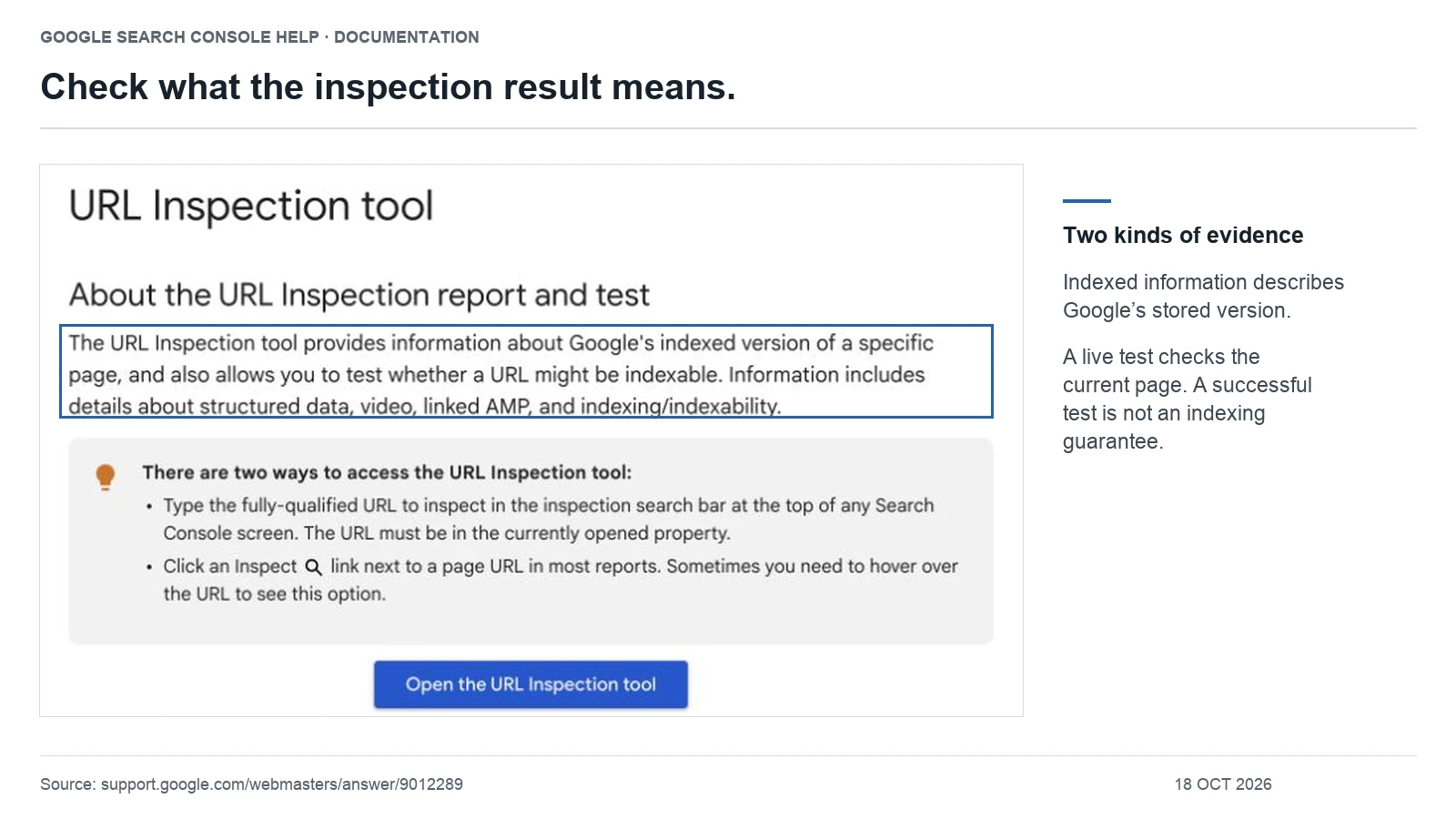
Copy the full address from your browser, including the protocol, hostname, path and any parameters. In the appropriate Search Console property, inspect that exact URL. Save the reported index status, last crawl date when available, crawl result, indexing permission and canonical information.
Keep the stored inspection result separate from a live test. The former describes Google’s recorded information; the latter checks current accessibility and some eligibility conditions. A passing live test does not establish index inclusion. Google’s URL Inspection documentation explains those limits.
| Field | What to write |
|---|---|
| Target | The exact URL and why it deserves a separate search result. |
| Observation | The precise report label, inspection date and last crawl date. |
| Current response | Status, final address, visible content, directives and canonical. |
| Change | One identified correction, its owner and completion time. |
| Verification | The technical retest and, separately, the later Google processing result. |
This record prevents a common mistake: comparing yesterday’s report with today’s code and concluding that the correction failed before Google revisited it.
Read the status before choosing the repair
| Reported situation | Start here | Avoid this assumption |
|---|---|---|
| URL unknown to Google | Check relevant internal links and sitemap inclusion. | That it has already been crawled and rejected. |
| Discovered — currently not indexed | Review discovery paths and site-wide crawl health. | That a page-specific crawl has already occurred. |
| Crawled — currently not indexed | Review delivered content, duplication and the page’s purpose. | That the label proves a penalty or one particular quality defect. |
| Excluded by noindex | Decide whether exclusion is intentional. | That all noindex directives should be removed. |
| Duplicate or alternate canonical | Compare the inspected URL with the selected representative. | That every alternate needs its own index entry. |
| Page with redirect | Inspect the destination and verify the redirect is intended. | That the old and new addresses must both be indexed. |
Use Google’s Page indexing report reference for the exact status definitions. A report category is a starting point for investigation, not a complete explanation of Google’s decision.
1. Verify the public response and rendered content
Open the page while logged out. Check the response status and whether you land on the intended address. A server failure, authentication screen or redirect loop needs attention before editorial optimization.
For a normal article, confirm that its main answer is present. Compare a working page using the same template with the affected page. If both lose their main content in rendered inspection output, investigate the shared template or content-loading behavior before rewriting either article. See Google’s rendering guidance.
A 200 response containing “item not found” is not equivalent to a useful page. For content that has genuinely been removed, decide whether there is a relevant replacement; do not turn every missing URL into an empty successful response. Google’s HTTP documentation distinguishes successful transport from indexable content.
2. Check robots and noindex as separate controls
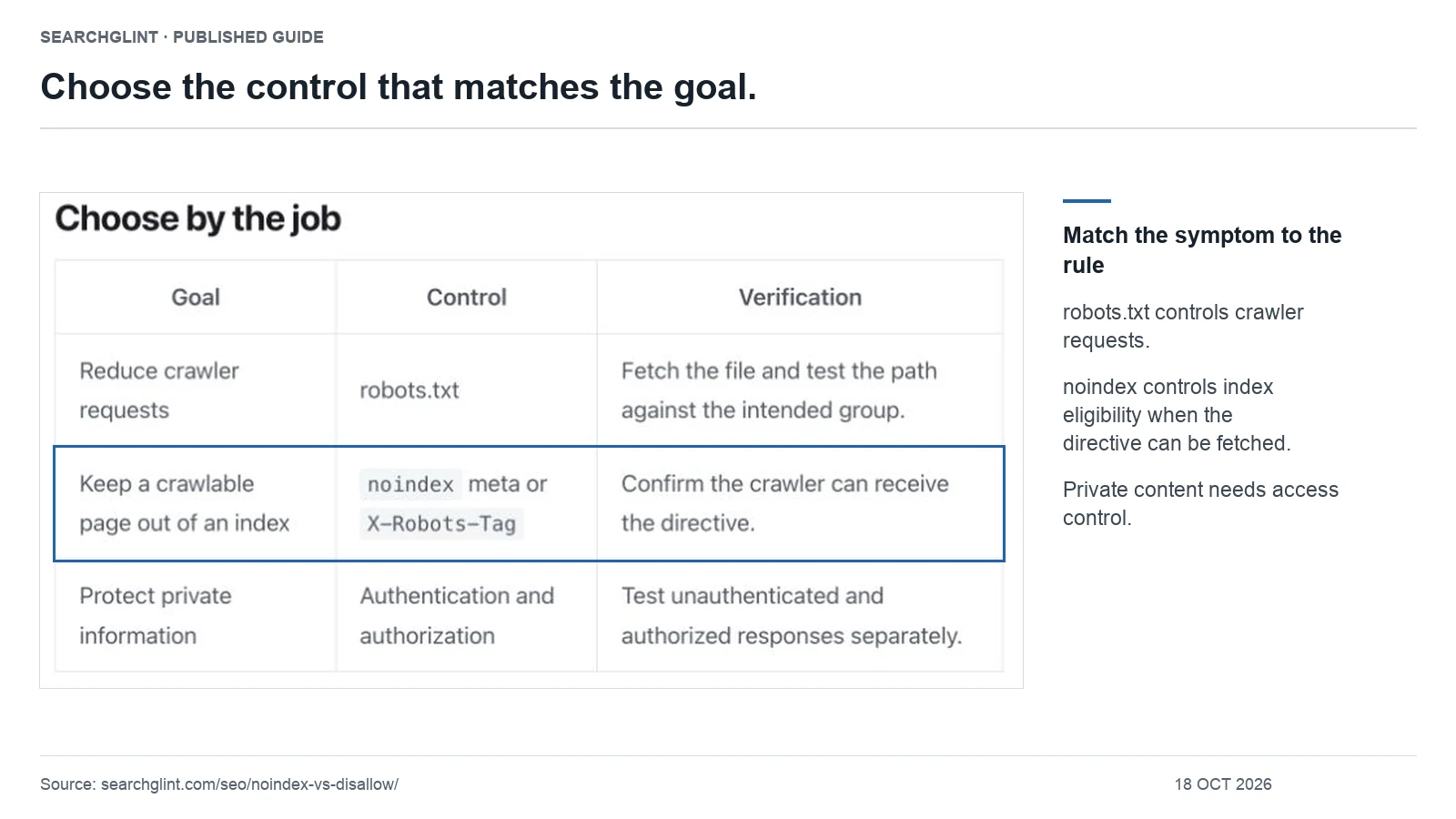
If the page should be publicly searchable, inspect both the HTML robots directive and any X-Robots-Tag response header. Then check whether robots.txt prevents Google from retrieving it. A crawler cannot read a page-level instruction from a response it is prevented from fetching.
Use the noindex versus disallow decision guide for a conflicting configuration. If the page contains private material, keep access protection in place; search visibility is not a reason to expose it.
When testing a robots pattern, compare a known intended public path and a deliberately restricted path. Our robots.txt tool supports local policy and path checks. It does not fetch your website or confirm Google’s live behavior.
3. Compare canonical selection with your intended URL
List the preferred address, the page’s declared canonical and Google’s selected canonical when available. If Google chose another URL, inspect that page before changing anything. It may be a valid alternate, or it may expose a conflict in your site structure.
For example, suppose an updated service page declares itself canonical, but the main navigation and sitemap still point to an older duplicate. Our recommendation is to reconcile the site’s references around the intended owner before adding more optimization signals. Follow Google’s canonical consolidation guidance.
Use the canonical URL decision guide to record the requested URL, declared preference, promoted address and Google’s recorded choice separately.
4. Improve discovery when the page has not been crawled
Find an existing page where a link would help a reader continue the same task. Add a descriptive link there and verify the target is the preferred URL. Review sitemap inclusion using our XML sitemap checklist.
Compare a small group of affected URLs: are they all newly published, all in one category, or all served by the same template? Record these patterns before applying a site-wide change. A cluster of access failures calls for a different investigation from a few isolated new articles.
5. For crawled pages, run a distinct-value review
When the page is accessible but remains unindexed, examine what it contributes. Do not treat “add 500 words” as a repair. Compare the page with the closest article already on your site and answer these questions:
- What decision can the reader make here that the other article does not support?
- Is there a worked example, original observation, useful comparison or tested procedure?
- Can the reader complete the task without searching for a missing step elsewhere?
- Would merging the two pages produce a clearer resource?
As an illustrative example, two articles titled “Fix indexing problems” and “Why Google will not index my page” may both contain the same generic list. Rephrasing their headings leaves the overlap intact. You could consolidate them, or give one a genuinely separate job such as documenting a specific rendering failure with reproducible evidence. That is an editorial decision, not proof of Google’s reason for excluding either page. Google’s helpful content questions provide a useful reference.
6. Verify the correction, then track processing separately
Retest the changed response or directive first. If a small number of important pages have materially changed, a URL Inspection indexing request may be appropriate. For many URLs, use an accurate sitemap. Google says requests do not guarantee inclusion and repeated requests for the same URL do not accelerate crawling. See its recrawl guidance.
Set a follow-up date as an internal reminder, not a promised Google deadline. At the follow-up, compare the last crawl time with the correction time. If there was no later crawl, the report has not yet tested the new version. If Google fetched it again but the status persists, use the new evidence to revisit canonical, rendering and content questions rather than blindly repeating the request.
Know when to close the indexing investigation
If the intended page is indexed but receives little visibility, move to query relevance, demand and search performance analysis. If the URL is an intentional duplicate and the correct representative is indexed, the desired outcome may already be achieved. Your goal is discoverable, useful content at the intended address—not a report with zero excluded URLs.
For the underlying sequence, read how crawling, indexing and ranking differ, or return to the SEO guide library.
The incident record, investigation order and hypothetical examples are SearchGlint editorial methods. They organize evidence; they do not claim access to Google’s internal indexing decisions.
Questions that change the indexing diagnosis
Does a successful live test mean Google has indexed the page?
No. A live test checks the current page; index status describes Google’s recorded processing. Keep both results and their dates. After a correction, verify the live response, then check whether Google’s recorded crawl happened after that correction. Do not report a passing live test as an indexing result.
Does “Crawled — currently not indexed” prove the article is low quality?
No. The label establishes that Google crawled the page but did not index it; it does not identify a single cause. Check the delivered content, duplication, canonical context and distinct usefulness before choosing a correction. Google’s status reference says the page may or may not be indexed later.
Official video: using URL Inspection
URL Inspection Tool – Google Search Console Training
Publisher: Google Search Central. Published: .
Google Search Central explains how to inspect an indexed URL, test its live version and review loaded resources. Use the video to understand the distinction between stored inspection information and a current live test.
Watch the official video on YouTube →
The video is supporting material. For current requirements and interface details, use the official documentation linked in the relevant sections above.
Sources and review notes
Technical claims are linked to primary documentation beside the relevant explanation. SearchGlint’s worksheets, decision tables and labeled examples are editorial methods, not Google requirements. Images use cropped screenshots of identified pages or, where labeled, local renderings of unmodified public XML. SearchGlint added outlines and explanatory text. Screenshots show only the captured content; they do not establish Google indexing, rankings or AI citations. Evidence reviewed: .
This guide separates documented platform behavior from interpretation and identifies the source behind material claims.